Understanding the Concept of Selfie Mosaic
What is a Selfie Mosaic?
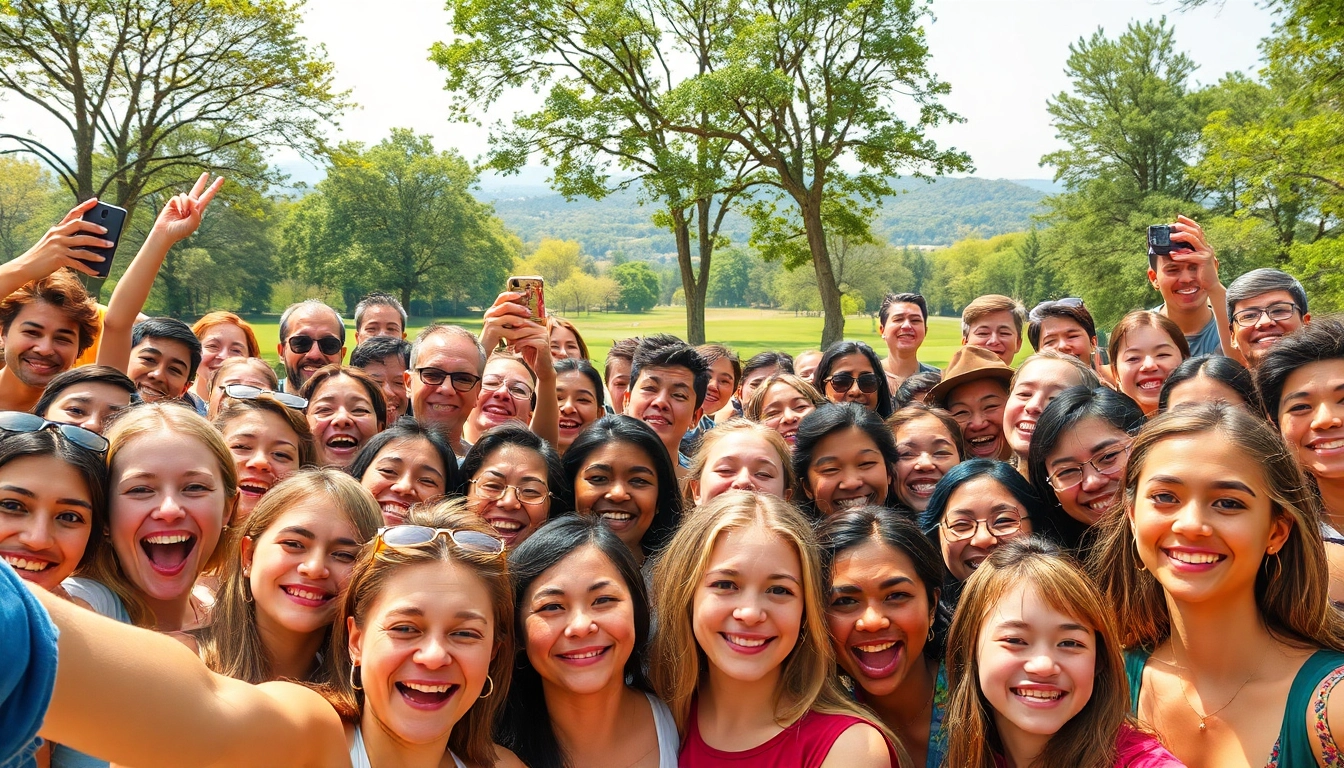
A selfie mosaic is a unique art form that combines numerous individual selfies into a single, larger image. This larger image can be anything from a landscape to a famous person’s portrait. Each small photo, or tile, aligns meticulously to create an intricate design when viewed from a distance. This technique not only showcases personal expression but also modern digital art's capability of transforming simple photos into remarkable visual representations.
Importance of Selfie Mosaics in Digital Art
In the realm of digital art, selfie mosaics hold significant importance for various reasons. They represent the intersection of technology and personal storytelling. These mosaics often embody a collective experience and emotional resonance, allowing artists to convey messages, feelings, or themes through the lens of individual contributors. Furthermore, this art form encourages community engagement, as it often invites others to share their selfies and participate in a communal creative effort, fostering a sense of belonging among participants.
Elements of a Great Selfie Mosaic
Creating a compelling selfie mosaic involves several key elements:
- Photo Quality: High-resolution images enhance clarity and detail, ensuring the final mosaic looks sharp.
- Diversity: Utilizing a varied range of expressions, colors, and backgrounds enriches the visual complexity.
- Composition: Effective layout and a well-defined theme can make or break the overall impact.
- Color Harmony: Cohesive color schemes can create a more aesthetically pleasing result.
Steps to Create Your Selfie Mosaic
Gathering Your Photos Effectively
The first step in creating your selfie mosaic is gathering the right photos. Aim for high-resolution selfies that showcase a range of emotions. Consider sourcing images from friends, social media, or various online community platforms, making sure to obtain consent where necessary. It's ideal to gather a significant number of images to allow for better flexibility and composition.
Selecting the Right Software for Creation
Choosing the right software to create your selfie mosaic is crucial. There are several options available, ranging from advanced software like Adobe Photoshop to more user-friendly online tools. Key features to look for include templates, auto-arrangement, and customization options. Depending on skill level, select software that allows for adequate flexibility and ease of use.
Design Techniques for Eye-catching Mosaics
To create an eye-catching selfie mosaic, consider the following design techniques:
- Grid Arrangement: Organizing images into grids allows for a structured approach that ensures balance.
- Overlay Techniques: Experimenting with transparency and blending can add depth.
- Focus Point: Decide on a focal point that draws the viewer's attention, typically the largest image you want to highlight.
Enhancing Your Selfie Mosaic for Impact
Choosing the Right Color Schemes
The color scheme of your mosaic can significantly impact its visual appeal. Consider choosing a palette that complements the dominant theme or emotion you wish to convey. For example, warm colors can evoke feelings of joy and warmth, while cooler tones can impart calmness and tranquility. Experimenting within these schemes during the design process will help create a more cohesive piece.
Incorporating Text and Graphics
Adding text and graphics to your selfie mosaic can enhance its narrative. Consider incorporating meaningful quotes or captions that relate to the overall theme of your mosaic. Additionally, small graphic elements can add character and interest without overwhelming the visuals. Ensure that text contrasts well with the background to maintain readability.
Lighting and Composition Best Practices
Lighting plays a crucial role in photography and subsequently affects the quality of your mosaic. Ensure images are well-lit, capturing the subjects clearly without harsh shadows or overexposure. Regarding composition, maintain balance by thoughtfully arranging selfies based on their lightness or darkness and overall color tone. Strong composition will lead to a successful final product.
Common Challenges with Selfie Mosaics
Dealing with Low-Quality Images
One of the most common challenges faced when creating a selfie mosaic is incorporating low-quality images. Such images can negatively impact the clarity and overall appeal of the final product. To combat this, utilize filters or software enhancements to boost resolution, but strive for a collection of primarily high-resolution photos to ensure the best outcome.
Understanding the Balance of Faces
When selecting selfies, it's fundamental to maintain a balance in facial representation. Over-representation of certain features can lead to visual dissonance. Strive for diversity in terms of gender, age, and facial expressions, which will contribute to a more harmonious piece overall.
Finding Creative Inspiration
Finding creative inspiration is often a challenge for artists. To enhance creativity, consider exploring platforms like Pinterest or Instagram, reviewing existing mosaics, and examining different artistic styles and trends. Collaboration with others can also ignite fresh ideas. Taking breaks from the project and returning with a clear mind can offer new perspectives.
FAQs About Selfie Mosaics
What tools can I use to create a selfie mosaic?
You can use software like Adobe Photoshop, online mosaics generators, or dedicated mobile apps designed for this purpose.
How do I choose the photos for my mosaic?
Select high-resolution selfies with varied expressions and colors to create a vibrant final image that captivates viewers.
Can I create a selfie mosaic from social media photos?
Yes, ensure that you have permission to use the images from individuals before using them in your mosaic project.
What makes a selfie mosaic visually appealing?
Using a diverse range of emotions, colors, and styles contributes to a more dynamic and captivating mosaic.
Can I print my selfie mosaic?
Absolutely! Just ensure that the final resolution is suitable for print to maintain quality.